ROS 2
When diving into robotics development, one of the most powerful tools at your disposal is the Robot Operating System 2 (ROS 2). But what exactly is ROS 2, and why has it become a cornerstone in the robotics community?
ROS 2 is not an operating system in the traditional sense; rather, it is a flexible framework for writing robot software.
A Little History
ROS 2 is the successor to ROS 1, which was first released in 2010. While ROS 1 laid the groundwork for robotic software development, it had limitations that became apparent as robotics applications grew more complex. ROS 2 was developed to address these limitations and introduce new features that enhance performance, scalability, and security.
Around 2007, at Stanford University, the first concepts of what would become ROS were born. The goal was to create a framework that would simplify the development of robotic applications by providing a set of tools and libraries that could be reused across different projects.
The most important project using the early ROS was the PR1, a hardware robot prototype. This robot was designed to perform household tasks, and it served as a testbed for many of the concepts that would later be incorporated into ROS.
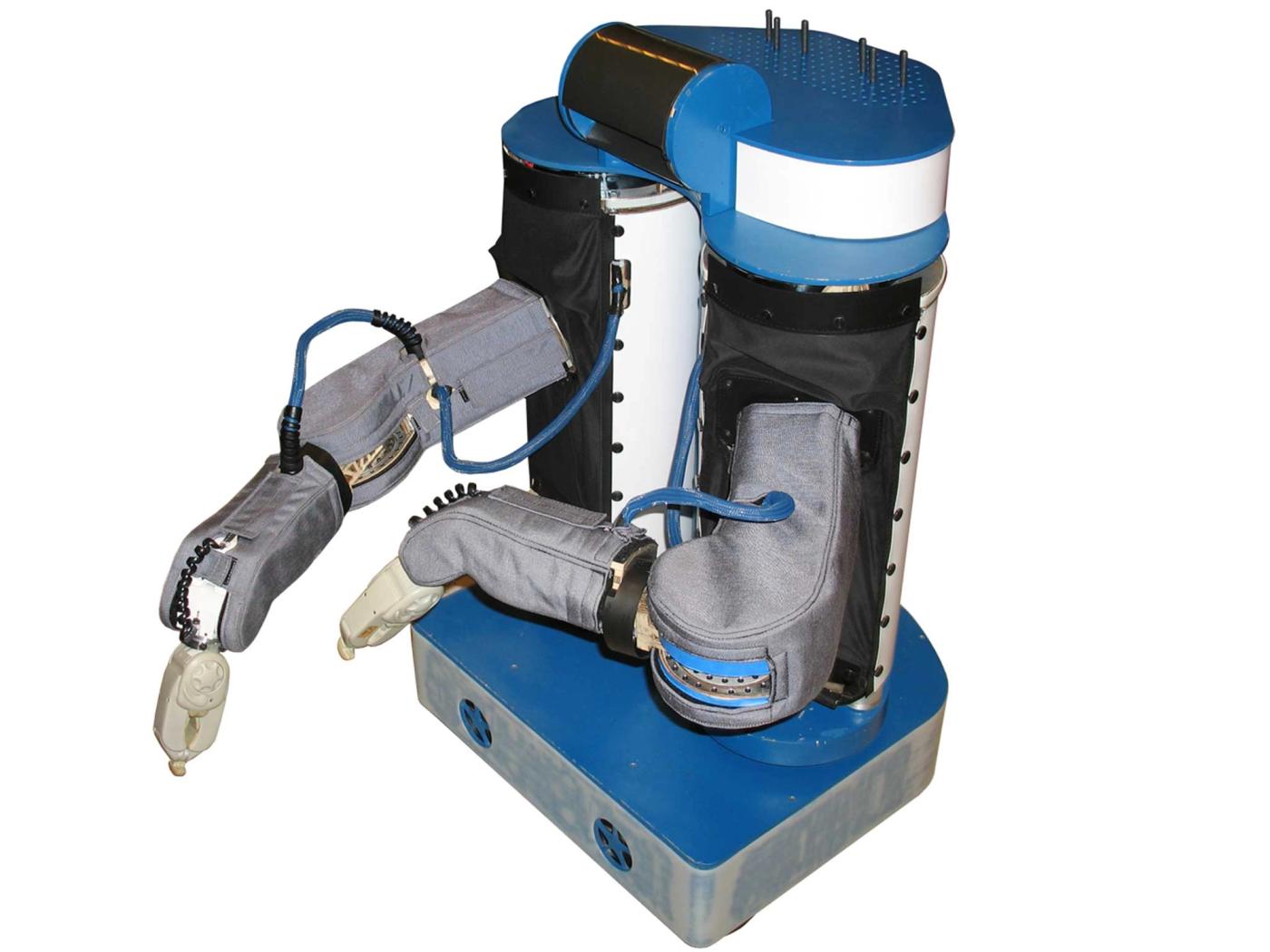
A little later, the creators of ROS, Eric Berger and Keenan Wyrobek, met Scott Hassan, the founder of Willow Garage, a technology incubator that was working on an autonomous SUV and a solar autonomous boat. Impressed by the potential of ROS, Willow Garage decided to support its development, leading to the first official release of ROS in 2010, driving the famous PR2 robot.
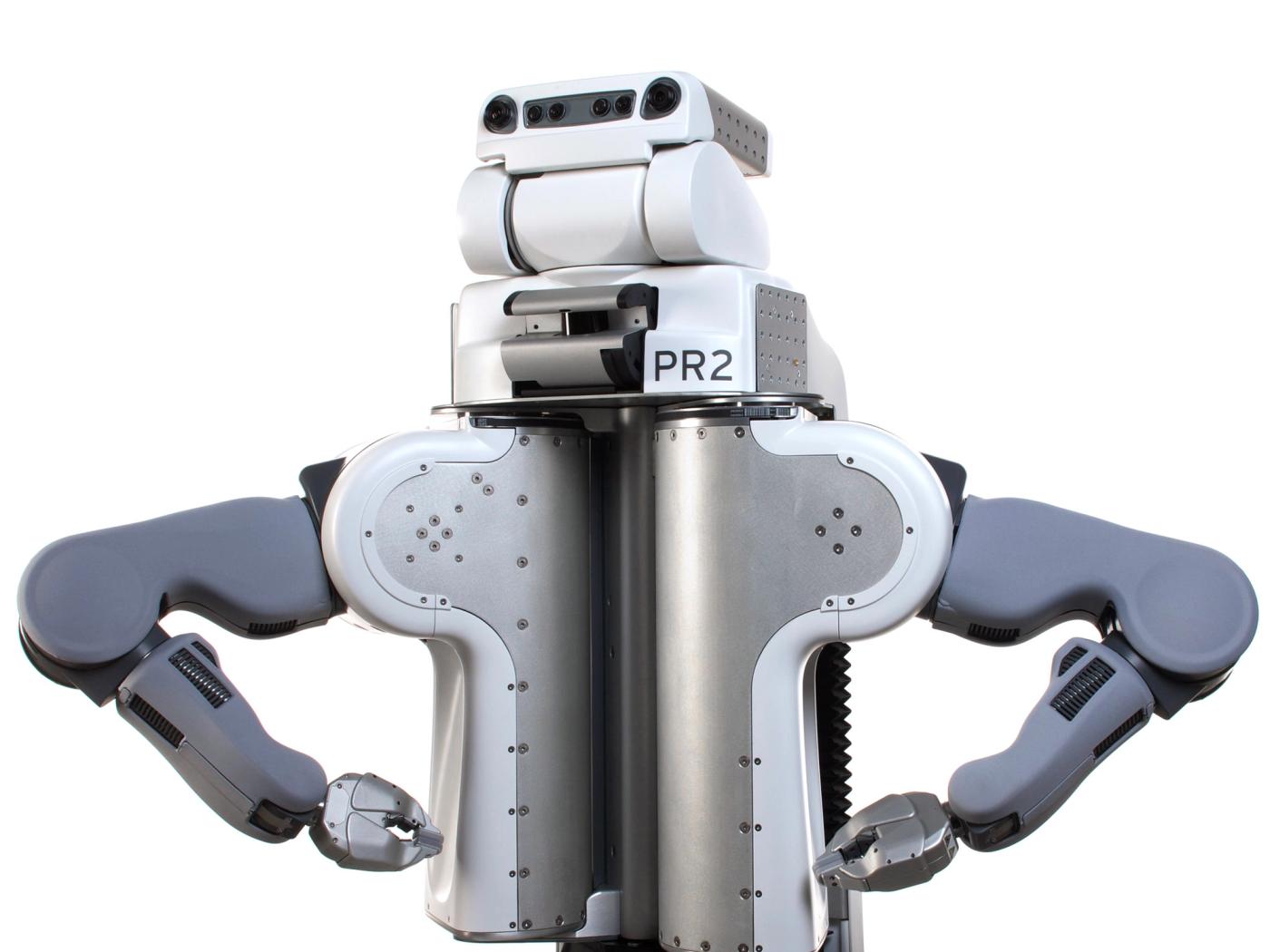
The development of ROS continued to evolve. In 2013, the Open Source Robotics Foundation (OSRF) was founded to oversee the development of ROS and other open-source robotics projects, while Willow Garage was “dissolved.” OSRF played a crucial role in the growth of the ROS community, providing resources and support for developers worldwide.
In 2015, OSRF launched the development of ROS 2, with the goal of addressing the limitations of ROS 1 and introducing new features to meet the evolving needs of the robotics community. The first official release of ROS 2, named Ardent Apalone, was made available in December 2017.
In 2017, OSRF became Open Robotics, a subsidiary of OSRF, which continues to lead the development of ROS 2 today.
Finally, in 2020, the first “almost ready for production” version of ROS 2, named Foxy Fitzroy, was released, providing a stable foundation for developers to build upon.
Read more about the History of ROS on Wikipedia.
Understanding ROS 2
Robot Operating System 2 (ROS 2) is an open-source framework designed to facilitate the development of robotic applications. It provides a collection of tools, libraries, and conventions that simplify the process of building complex and robust robot software systems. ROS 2 is the successor to ROS 1, addressing many of its limitations and introducing new features to enhance performance, scalability, and security.
When you start working on a robotics project, you might think that writing everything from scratch is the best approach to create a custom, fast, and efficient solution. However, this is not always the case, especially when dealing with complex systems like robots.
ROS 2 provides a modular architecture that allows developers to leverage existing components and focus on building unique functionalities rather than reinventing the wheel. With ROS 2, you can take advantage of a vast ecosystem of pre-built packages and libraries that cover a wide range of robotics functionalities, from sensor integration to motion planning.
Key Features of ROS 2
-
Modularity: ROS 2 is designed with a modular architecture, enabling developers to use only the components they need for their specific application.
-
Real-time Capabilities: ROS 2 introduces real-time capabilities, making it suitable for applications that require deterministic behavior.
-
Improved Security: ROS 2 incorporates security features to protect against unauthorized access and ensure safe operation in complex environments.
-
Cross-platform Support: ROS 2 is designed to work on various platforms, including Linux, Windows, and macOS, providing flexibility in development and deployment.
-
Enhanced Communication: ROS 2 uses the Data Distribution Service (DDS) for communication, allowing for more efficient and reliable data exchange between components. Many ROS 2 users may find DDS complex and difficult to configure. However, DDS brings significant advantages in terms of scalability and performance, especially in distributed systems. In any case, ROS 2 allows you to choose different alternative communication middleware options to suit your needs.
-
Rich Ecosystem: The ROS 2 ecosystem includes a wide range of tools, libraries, and community-contributed packages, making it easier to find solutions to common robotics challenges.
ROS 2 Distributions
ROS 2 follows a distribution model similar to that of Linux distributions, with regular releases and long-term support (LTS) versions, following the release schedule of Ubuntu. Each ROS 2 distribution is a stable release that includes a specific set of features, bug fixes, and improvements.
No one uses the word “distribution” in the ROS 2 community, but it is the correct term. Instead, people usually refer to them as “ROS 2 distros.”
At the time of writing, the ROS 2 distros are:
| Distribution Name | Release Date | Notes | Logo |
|---|---|---|---|
| Ardent Apalone | December 2017 | EOL 12/2018 |  |
| Bouncy Bolson | July 2018 | EOL 07/2019 |  |
| Crystal Clemmys | December 2018 | EOL 12/2019 |  |
| Dashing Diademata | May 2019 | LTS - EOL 05/2021 |  |
| Eloquent Elusor | November 2019 | EOL 11/2020 |  |
| Foxy Fitzroy | June 2020 | LTS - EOL 06/2023 |  |
| Galactic Geochelone | May 2021 | EOL 12/2022 |  |
| Humble Hawksbill | May 2022 | LTS - EOL 06/2027 |  |
| Iron Irwini | May 2023 | EOL 12/2024 |  |
| Jazzy Jalisco | May 2024 | LTS - EOL 05/2029 |  |
| Kilted Kaiju | May 2025 | EOL 12/2026 |  |
| Lyrical Luthier | May 2026 | LTS - EOL 05/2031 | TBD |
For details on upcoming features, see the roadmap.
The Particular Rolling Ridley Distro
In addition to the regular distros, ROS 2 also offers a Rolling Ridley distro. The Rolling Ridley distro is a continuously updated version of ROS 2 that includes the latest features and improvements. It is intended for developers who want to stay on the cutting edge of ROS 2 development and are willing to accept the potential instability that comes with using a rolling release.

Packages released into the Rolling distro will be automatically released into future stable distros of ROS 2.
How Does ROS 2 Work?
At its core, ROS 2 operates on a publish-subscribe messaging model. This means that different components of a robotic system can communicate with each other by publishing messages to topics and subscribing to those topics to receive messages. This decouples the components, allowing for greater flexibility and scalability in system design.
Each component in a ROS 2 system is referred to as a “node.” Nodes can be written in various programming languages, including C++ and Python, and can run on different machines within a network. This distributed architecture allows for the development of complex robotic systems that can leverage multiple computing resources.
Each node can perform specific tasks, such as sensor data processing, motion control, or decision-making. Nodes communicate with each other through topics, services, and actions, enabling seamless integration of various functionalities.
Each node has custom parameters that can also be configured at runtime, allowing for dynamic adjustment of behavior without modifying the code. This flexibility is crucial in robotics, where conditions can change rapidly.
Nodes can be controlled using services and actions. Services allow for synchronous communication between nodes, where one node can request a specific action from another node and wait for a response. Actions, on the other hand, enable asynchronous communication, allowing nodes to send requests and continue their operations without waiting for a response.
Nodes can run independently in separate processes, which enhances fault tolerance and allows for better resource management. If one node fails, it does not necessarily affect the entire system, as other nodes can continue to operate.
To improve communication performance, nodes can be loaded into the same process using a feature called “composable nodes.” Composable nodes allow multiple nodes to share the same memory space, reducing communication overhead and improving efficiency (see Zero-Copy Transport).
ROS 2 Keywords
-
Node: A fundamental building block in ROS 2 that represents a process that performs specific tasks.
- Composable Node: A feature that allows multiple nodes to share the same memory space, improving communication performance.
- Lifecycle Node: A special type of node that has a defined state machine, allowing for controlled startup, shutdown, and transitions between states.
- Parameter: A configurable value associated with a node that can be adjusted at runtime to modify its behavior.
- Topic: A named channel for communication between nodes, where messages are published and subscribed.
- Message: A data structure used for communication between nodes, containing information such as sensor readings or control commands.
- Service: A synchronous communication mechanism that allows nodes to request specific actions from other nodes.
- Action: An asynchronous communication mechanism that enables nodes to send requests and continue their operations without waiting for a response.
- Package: A collection of related nodes, libraries, and resources that can be easily shared and reused.
- Launch File: A configuration file used to start multiple nodes and set parameters for a ROS 2 application.
-
Middleware: The underlying communication layer that facilitates data exchange between nodes in ROS 2.
- RMW (ROS Middleware Wrapper): An abstraction layer that allows ROS 2 to support different middleware implementations, providing flexibility in communication options.
- DDS (Data Distribution Service): A middleware standard used in ROS 2 for efficient and reliable data exchange between nodes.
- Zero-Copy Transport: A communication mechanism that minimizes data copying between nodes, enhancing efficiency and reducing latency.
Conclusion
With this tutorial, I intended to give you a brief overview of what ROS 2 is and how it works to help you understand why I decided to use it for my MyzharBot robot and why it is so popular in the robotics community.
Next Steps
In the next tutorial, I will guide you through the process of setting up your first ROS 2 workspace, and installing the necessary tools. By the end of that tutorial, you will have a functional ROS 2 environment ready for your robotics projects.