Overview
For better home security, place the Yi Home Dome Camera on the corner of a piece of furniture to have a top view.
The Yi Home Dome Camera is designed to be used sitting upright on a shelf or table, but that is rarely the most useful vantage point for actually keeping an eye on a room. Mounted upside down on top of a wardrobe, a tall bookshelf, or in the corner where two walls meet the ceiling, the same camera gets a much wider top-down view of the space, closer to what you would expect from a proper ceiling-mounted security camera, without having to drill into the ceiling itself.
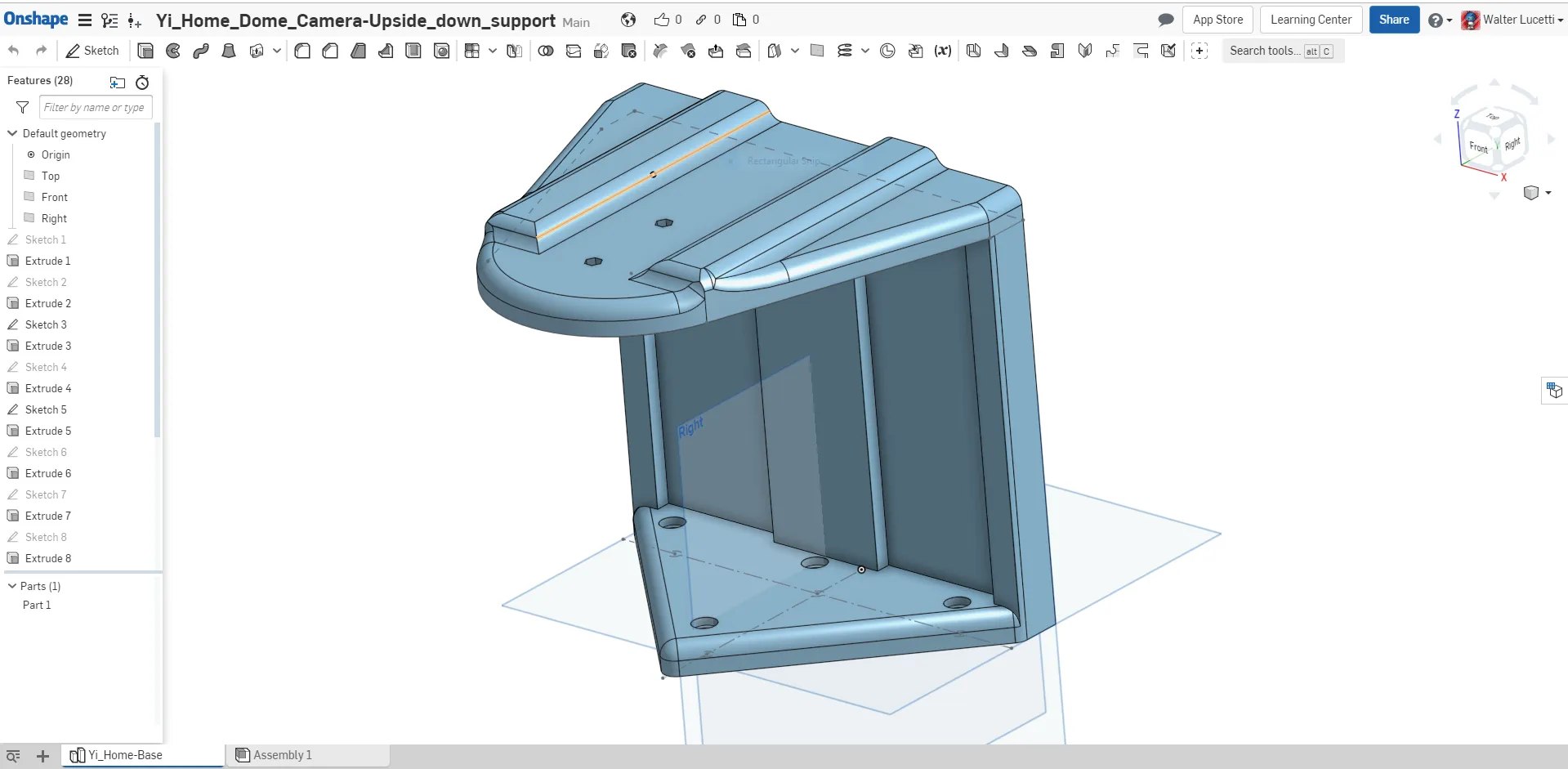
This support does exactly that: it lets you flip the camera upside down and rest it securely on any flat furniture corner, using the camera’s own base and weight for stability rather than screws or adhesive. It is a small, purely mechanical part; there is no electronics or wiring involved, just a printed cradle that holds the camera at the right angle for a corner-mounted, top-down view.
Design available on OnShape
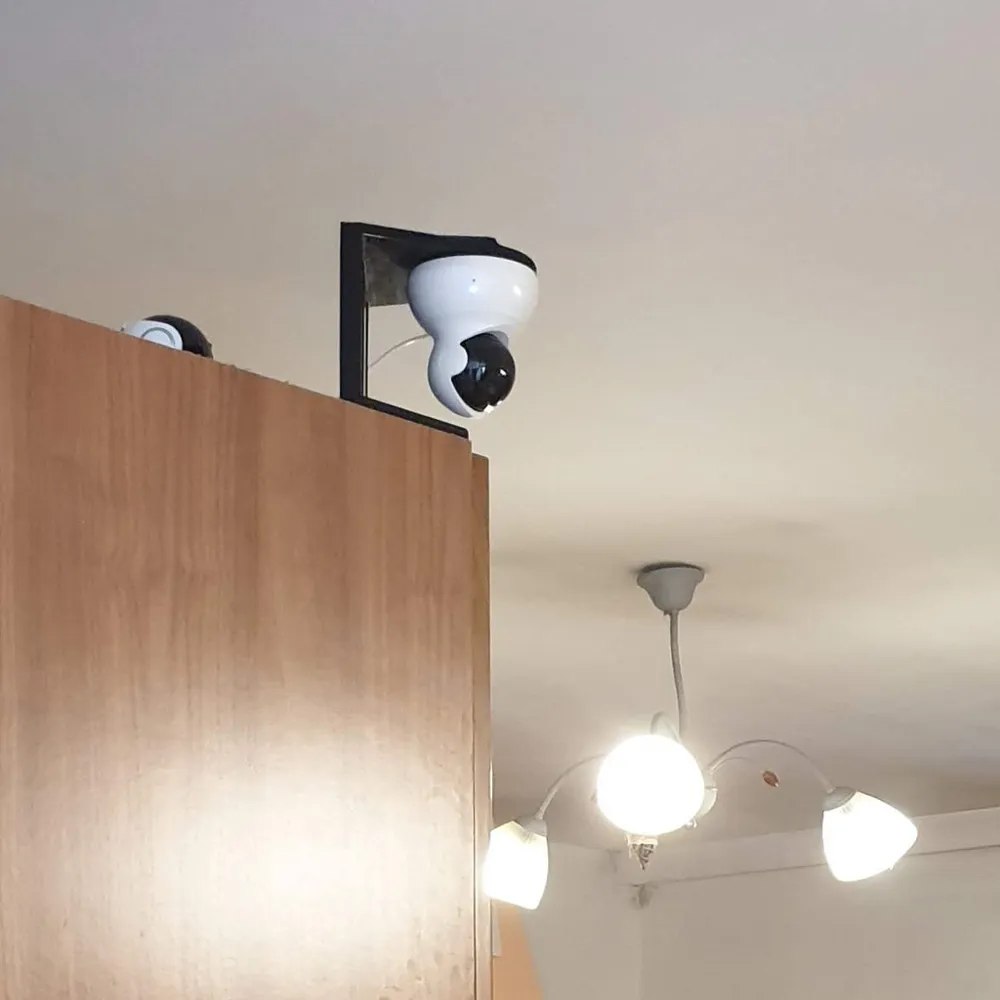
A screwed-down ceiling mount is more permanent and arguably more solid, but it also means drilling into a ceiling or wall, running the cable through it, and committing to that exact spot. Resting the camera on a furniture corner instead means you can reposition it in minutes if you rearrange a room, and it leaves zero marks behind when you move it or take it down, which matters a lot more in a rented home than it does in a house you own outright.
It is a purely passive mount too, no electronics, no wiring changes to the camera itself, so it works just as well as a temporary setup for a few days as it does as a permanent fixture, and it comes back off just as easily if you decide to reposition it later.
A small mechanical print like this one is often all it takes to get much more value out of hardware you already own.
A simple bracket, and a genuinely better vantage point for very little effort.
Since the camera’s own software already lets you flip the video feed to compensate for the inverted mounting, there is nothing extra to configure on the camera itself once it is sitting in the support, it just works the moment it is powered back on.
Print profiles
The following profiles are authored by Myzhar and currently available on MakerWorld. They are synchronized from its public design API; select a profile to open it on MakerWorld.
| Profile | Materials | Weight | Print time |
|---|---|---|---|
| 0.2mm layer, 3 walls, 30% infill | PETG 215 g | 215 g | 5 h 22 min |
Download
The model is free to download and print, licensed under the Standard Digital File License.